
Feature
Use the Water-Drop Setting for Humidity—Not as a Substitute for Cooling
By Mara Keene · HVAC Lens editorial · · 18 min read
- Published
- 2026-07-30
- Last revised
- —
- Filed under
- Feature
- Length
- 3,986 words
- Read time
- 18 min
- Review status
- Editorial
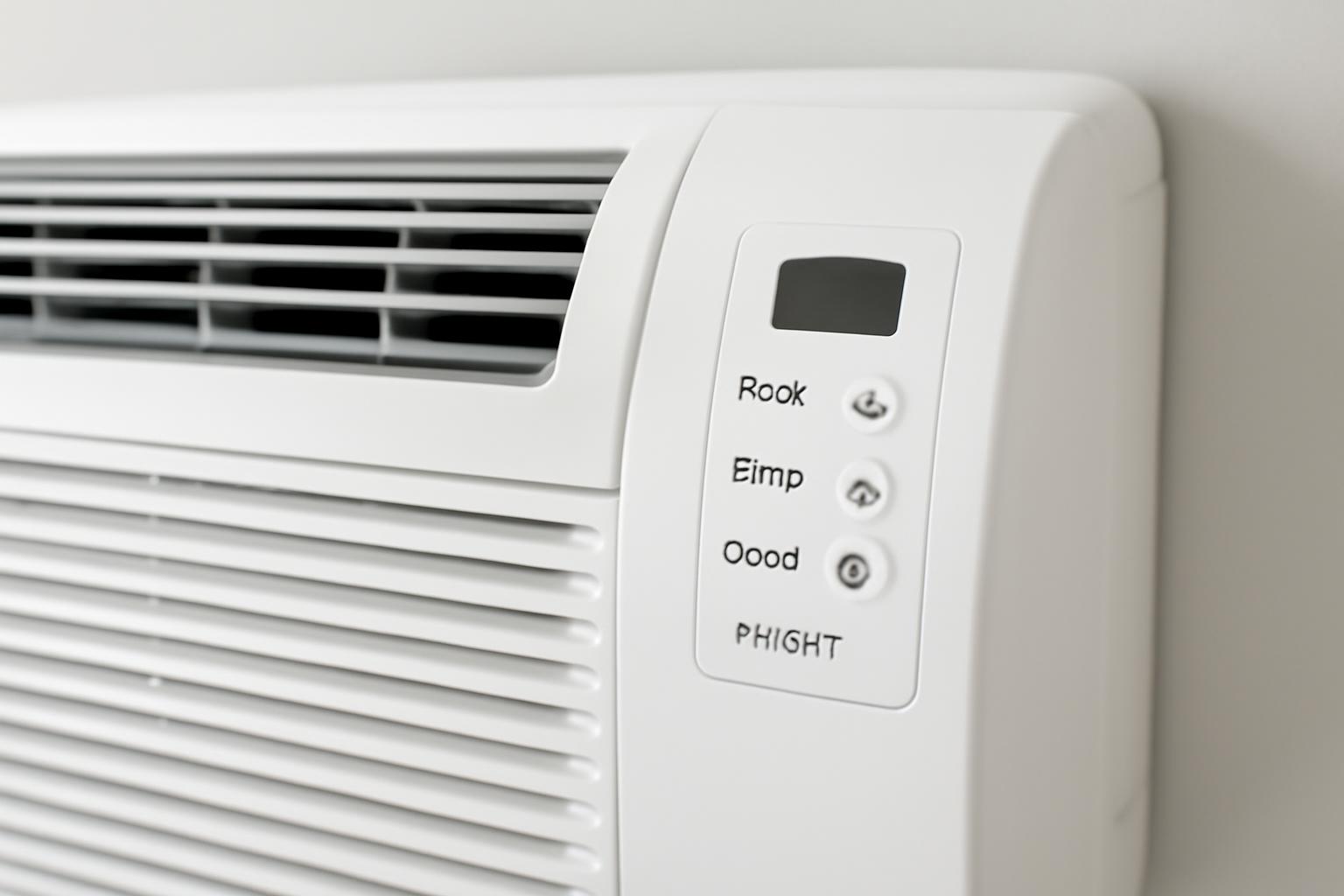
What Dry Mode Does: The Short Answer
Dry Mode on an air conditioner is intended primarily to reduce indoor humidity, not to lower the room temperature as quickly as Cool Mode. It is most useful when a room feels muggy, sticky, or damp even though it is not especially hot.
The moisture-removal process is straightforward:
- The air conditioner draws warm, humid room air across a cold evaporator coil.
- As the air cools at the coil, some water vapor condenses into liquid.
- The condensate leaves through the unit’s designed drain, tank, or collection path.
- The air returns to the room with less moisture.
Ordinary air conditioning removes moisture through the same condensation process. Warm indoor air passes over a cold evaporator coil, water collects on the coil, and the condensate drains away, as explained in Lennox’s overview of air-conditioning and humidity removal.
Dry Mode does not mean dehumidification with no cooling. Refrigeration still cools the air at the coil, so the room temperature may fall somewhat. The practical difference is one of priority: Dry Mode emphasizes moisture removal while trying to avoid the stronger or faster temperature reduction associated with Cool Mode.
Reducing humidity can make a moderate room feel more comfortable even if the thermostat reading changes little. Humid air slows the evaporation of sweat from the skin, which can make a room feel warmer or stickier than its measured temperature suggests, according to the same Lennox guidance.
Cool Mode also removes moisture when the system has sufficient runtime and airflow. Dry Mode changes the control strategy on air conditioners that offer the feature; it does not introduce a completely different moisture-removal mechanism.
Exactly how that strategy works depends on the equipment. A window unit, portable air conditioner, central system, and inverter mini-split may behave differently even if each display shows the same water-drop icon. Low fan speed, intermittent compressor operation, and low-capacity cooling are model-specific patterns—not universal rules.
For example, GREE describes Dry Mode on its applicable mini-splits as slow, low-capacity cooling with reduced fan speed and a selected temperature set point. Actual results depend on the room load and installed capacity, and that description should not be generalized to every air conditioner. See GREE’s model-specific explanation of mini-split Dry Mode.
Use Dry Mode when excess humidity is the main comfort problem. Expect some possible cooling, but do not expect it to replace Cool Mode when the room is genuinely hot.
Dry vs. Cool vs. Fan vs. a Dehumidifier
The right choice depends on whether you need to address heat, humidity, air circulation, or a recurring moisture problem.
| Option | Primary purpose | Cooling effect | Active moisture removal | Typical use case | Principal limitation |
|---|---|---|---|---|---|
| Dry Mode | Reduce indoor humidity | Limited or secondary cooling | Yes | A mild but muggy room, humid evening, or rainy period | Behavior varies by model and may not handle a large or persistent moisture load |
| Cool Mode | Lower room temperature | Stronger and more direct | Yes, while the cold coil operates | A room that is hot, or both hot and humid | It may cool more than desired when humidity is the only problem |
| Fan Mode | Circulate room air | No compressor-based cooling | No active condensation when the compressor is off | Moving air when temperature and humidity are otherwise acceptable | It does not extract water from the air |
| Dedicated dehumidifier | Control humidity more consistently | Does not cool the space like an air conditioner | Yes | Persistent dampness, target-based humidity control, or spaces poorly served by the AC | It is another appliance to buy, operate, drain, and maintain |
The core decision rule is:
- Mild and muggy: Try Dry Mode.
- Hot and humid: Start with Cool Mode.
- Circulation only: Use Fan Mode.
- Recurring or persistent dampness: Consider a dehumidifier and investigate the moisture source.
Dry Mode is humidity-focused. It may lower the temperature, but its principal purpose is to make the air less damp without aggressively cooling the room.
Cool Mode is temperature-focused. It removes heat and also condenses moisture at the evaporator coil. In a hot, humid room, it is usually the better starting point because it addresses both complaints. Its moisture removal still depends on runtime, airflow, equipment condition, controls, and system sizing.
Fan Mode circulates air without active compressor-based cooling or dehumidification. Moving air may improve how occupants feel and help even out room temperatures, but it does not remove water vapor. When the compressor is off, the system is not continuously creating new condensation on a cold coil.
A dedicated dehumidifier is designed around moisture control rather than space cooling. Models equipped with humidity controls can operate around a selected target and may be useful when air-conditioning operation would make the room colder than desired.
Do not assume that Dry Mode matches a dedicated dehumidifier in extraction capacity or control precision. LG describes Dry Mode as a short-term comfort feature for moderate humidity and presents dedicated dehumidification as the more consistent option when dampness, condensation, or moisture rebound persists. See LG’s comparison of AC Dry Mode and dehumidifiers.
No mode label can predict how well a particular appliance will perform in a particular room. Results depend on equipment capacity, control logic, room temperature, starting humidity, outdoor-air infiltration, indoor moisture sources, airflow, and runtime.
When Dry Mode Is the Right Choice
Dry Mode is a reasonable option when the room’s temperature is already moderate but the air feels sticky or muggy. It is especially useful when stronger cooling would make the room uncomfortable.
Common examples include:
- A humid evening: The daytime heat has passed, but the air still feels heavy.
- A rainy or post-storm period: Outdoor temperatures are moderate while indoor fabrics or surfaces feel damp.
- A muggy bedroom: The temperature is acceptable for sleeping, but the air or bedding feels clammy.
- Shoulder-season weather: Spring or fall conditions bring humidity without enough heat to justify substantial cooling.
- A room after moisture-generating activity: Cooking, showering, or indoor laundry has left the space damp, with any required ventilation still used as intended.
These are examples, not universal seasonal rules. Advice written for tropical, coastal, or storm-prone climates may not transfer neatly to another location. A manufacturer’s “spring and fall” recommendation may correspond to different months or conditions elsewhere.
If the room is both hot and humid, Cool Mode is generally the better starting point. It provides stronger temperature reduction while also condensing moisture. Using Dry Mode in a hot room may leave you waiting for cooling that the setting was not designed to deliver. Post-storm guidance from DEEPCHILL similarly distinguishes mild, sticky conditions from rooms that are both hot and humid, while noting that performance varies by system and load. See its Dry Mode versus Cool Mode guidance.
A small digital hygrometer can make the choice less subjective. It cannot diagnose an HVAC fault, but it can help you compare perceived comfort with measured temperature and relative humidity.
A practical test workflow
- Record the starting conditions. Note the temperature and relative humidity if you have a meter. Record whether bedding, furnishings, or surfaces feel damp.
- Select Dry Mode according to the manual. Do not assume temperature and fan controls work normally in this mode.
- Observe the result. Watch the humidity reading, room temperature, comfort, airflow, and operating pattern.
- Switch to Cool Mode if the room remains too warm. Heat has become the primary problem even if humidity is still present.
- Note any rapid humidity rebound. Moisture that returns soon after shutdown can indicate an ongoing source or a load beyond what occasional Dry Mode can manage.
Do not select Dry Mode merely because the water-drop icon is available. If the indoor air is already dry, further moisture removal has little purpose and may reduce comfort. There is also no evidence-supported temperature setting that is optimal for every climate, building, person, and air conditioner.
The useful question is not “Does my unit have Dry Mode?” It is “Is humidity the main problem right now?”
How to Turn On Dry Mode—and Why the Manual Matters
Dry Mode is available only on some air conditioners. If your unit supports it, the control may appear as:
- A Mode button that cycles through operating settings
- A dedicated Dry button
- The word Dry on the remote or unit display
- A water-drop icon
A typical activation sequence is:
- Turn on the air conditioner.
- Press Mode on the remote or control panel.
- Continue cycling until Dry or the water-drop symbol appears.
- Select any additional settings the unit permits.
- Confirm the operating instructions and condensate requirements in the owner’s manual.
This sequence is intentionally general. Some remotes require another confirmation, some units choose the fan speed automatically, and others disable or limit temperature adjustment.
Do not assume that a displayed temperature works exactly as it does in Cool Mode.
GREE provides a useful model-specific example. On its applicable mini-splits, Dry Mode uses the selected temperature as a set point, runs the fan more slowly, and performs low-capacity cooling. Lowering the selected temperature may permit more cooling if room load and system capacity allow it. That is an implementation used on certain GREE products, not a general description of all air conditioners.
Other manufacturers may use different compressor cycles, fan logic, sensors, or temperature limits. ActronAir advises checking the documentation for the exact unit because Dry Mode availability and behavior differ among products. See ActronAir’s overview of Dry Mode controls.
Removed moisture must follow the appliance’s designed condensate path, whether that involves a drain, tank, or internal collection arrangement.
Manual lookup: four terms to search
Find the model number on the unit’s data label, remote documentation, purchase record, or manufacturer app. Download the matching owner’s manual—not merely one for a similar-looking product—and search for:
- Dry
- Dehumidify
- Condensate
- Drainage
Also check whether the manual limits temperature adjustment, fan selection, seasonal operation, exhaust configuration, timers, or overnight use.
If the unit enters Dry Mode but behaves differently from what you expected, that does not automatically indicate a fault. The manual’s description takes priority over generic explanations of how the mode “normally” works.
How Long to Run Dry Mode, Including Overnight Use
There is no evidence-supported universal runtime for Dry Mode.
A rule such as “always run it for two hours” ignores the conditions that determine how quickly humidity changes:
- Starting relative humidity
- Room temperature
- Outdoor temperature and humidity
- Air leakage and moisture entering from nearby spaces
- Moisture released by occupants, cooking, showers, laundry, plants, or wet materials
- Room volume
- Air-conditioner capacity
- Airflow and filter condition
- Dry Mode control logic
- Condensate handling
- Total operating time
A timer may be convenient, but it should not replace observation. Use the measured relative humidity, room temperature, comfort, and owner’s manual to decide whether the setting has done enough.
LG and Lennox manufacturer articles cite approximately 30% to 50% relative humidity as a general indoor comfort reference, while LG also says indoor humidity should generally remain below 60%. Their supplied pages do not directly cite an independent standard for those figures, so treat them as broad manufacturer guidance rather than universal pass-or-fail requirements. See LG’s stated humidity references.
Repeated readings around or above that upper reference deserve attention when they occur alongside visible condensation, persistent odors, or damp materials. A reading by itself does not prove that the air conditioner is defective.
For daytime operation, record the starting conditions and see whether the room becomes more comfortable without becoming too cool. Change to Cool Mode if the temperature remains high. If humidity barely changes, check the mode, filter, airflow, and visible condensate behavior rather than extending runtime indefinitely.
For overnight operation, follow the exact model manual and consider how the room behaves through the night:
- Does it remain too warm because Dry Mode provides insufficient cooling?
- Does it become too cool because the unit is still refrigerating the air?
- Does the air become uncomfortably dry?
- Does the unit stop or change operation automatically?
- Does humidity remain controlled or return soon after the unit stops?
Midea’s manufacturer guidance recommends limiting Dry Mode to a few hours to avoid excessive drying, but it also acknowledges that controls and operating availability vary by product. That is not proof of a universal runtime limit; it reinforces the need to follow the model manual and monitor actual conditions. See Midea’s Dry Mode guidance.
Humidity that returns quickly is useful diagnostic information. It may mean moist outdoor air is entering, wet materials are releasing stored moisture, an adjacent space is contributing humidity, or the load exceeds what occasional Dry Mode can remove. Record how quickly the reading rises and what was happening in the home at the time.
Does Dry Mode Save Electricity?
Dry Mode may use less electricity than Cool Mode under some mild, humid conditions, but savings are not guaranteed.
Manufacturers sometimes describe Dry Mode as less intensive than normal cooling. Depending on the product, this can involve slower fan operation, lower compressor capacity, or intermittent operation. GREE, for example, says its applicable mini-splits reduce fan speed, compressor capacity, frequency, and amperage in Dry Mode, but its article provides no controlled comparison or guaranteed savings percentage. That model-specific limitation matters when evaluating energy claims.
The mode label alone cannot determine operating cost. Electricity use depends on:
- The specific air conditioner
- Fixed-speed or variable-capacity compressor technology
- Indoor and outdoor conditions
- The selected set point
- Starting temperature and humidity
- Moisture entering or being generated in the room
- Fan and compressor control behavior
- Total runtime
- Equipment condition and airflow
A lower power draw at one moment does not necessarily mean lower total electricity use. Energy consumption depends on power over time, so a mode that draws less power but runs much longer may use a similar or greater amount of electricity. HVAC Lens explains this underlying distinction between instantaneous power and total energy in its guide to watts, watt-hours, and HVAC capacity.
The supplied evidence also does not establish that either Dry Mode or a standalone dehumidifier is universally more efficient. The appliances serve different needs, use different controls, and may run for different lengths of time. A meaningful comparison must consider both energy consumed and the humidity and temperature result.
A household comparison can still be informative if treated as an observation rather than a controlled test:
- Choose days with reasonably similar outdoor conditions.
- Begin at similar indoor temperatures and humidity levels.
- Keep occupancy and moisture-producing activities as similar as practical.
- Record the mode, set point, starting and ending conditions, and runtime.
- Use a suitable whole-unit or circuit energy meter if one is safely available and designed for the equipment.
- Compare energy use together with the comfort result.
Perfect comparison is difficult because weather and indoor moisture loads change continuously. A mode that uses fewer kilowatt-hours on one mild evening may not do so during a hotter or wetter period.
Be skeptical of claims that selecting Dry Mode automatically lowers bills, extends equipment life, or reduces maintenance costs. The supplied manufacturer sources do not provide controlled evidence establishing those outcomes across different equipment, installations, and operating conditions.
Why the Room May Stay Clammy After Dry Mode
If Dry Mode runs but the room still feels damp, first ask whether it is the right setting for the load.
If the room is also hot, switch to Cool Mode. Stronger temperature control with adequate runtime may provide better overall comfort while still condensing moisture. If the room is not hot but dampness is severe or persistent, dedicated dehumidification may be more appropriate.
Then work through this safe external checklist:
- Verify the selected mode. Confirm that the display shows Dry rather than Fan, Auto, or another setting.
- Check the air filter. Clean or replace it if the manufacturer calls for that maintenance and it is visibly dirty.
- Check accessible airflow paths. Make sure supply outlets, return grilles, and the indoor unit’s intake are not blocked.
- Set the thermostat fan to AUTO when available. Continuous fan operation can move moisture from a wet coil back into the room between active cooling cycles.
- Watch the cycle pattern. Note whether the compressor appears to start and stop rapidly instead of operating for sustained periods.
- Look for an obvious condensate problem. Note misplaced water, a visibly overflowing accessible pan, or abnormal behavior at a known drain outlet without disassembling equipment.
- Compare rooms. A whole-home average may hide a problem concentrated in a basement, closed bedroom, laundry area, or weak-airflow room.
- Observe humidity rebound. Record how quickly the reading rises after the unit stops.
Adequate runtime and airflow matter because room air must pass across the cold coil for water to condense. Restricted airflow can reduce performance, while very short cycles may stop the process before enough air has been treated.
Manufacturer troubleshooting guidance recommends AUTO rather than ON when humidity control is a concern because continuous fan operation may return moisture from the coil to the room between compressor cycles. It also identifies filters, coils, drains, ducts, refrigerant charge, equipment sizing, and maintenance as possible contributors—not conclusions a homeowner can establish from symptoms alone. See Lennox’s humidity troubleshooting guidance.
Possible system contributors include:
- An oversized air conditioner that cools the room quickly and stops before removing enough moisture
- Short cycling caused by a control, installation, or equipment problem
- A dirty filter
- Dirty evaporator or condenser coils
- Restricted supply or return airflow
- A blocked or poorly functioning condensate drain
- Duct leakage that admits humid air
- Improper refrigerant charge or another refrigerant-side fault
- Aging or poorly maintained equipment
- A moisture load beyond the system’s intended capability
An oversized system is one possible explanation for a cool but clammy home. It can satisfy the thermostat rapidly, resulting in cycles that provide too little coil runtime for effective moisture removal. Short cycles alone do not prove oversizing, however; thermostat location, controls, airflow, changing loads, and equipment faults can produce similar symptoms.
Before calling a contractor, record:
- Room temperature and relative humidity
- Selected operating mode and set point
- Thermostat fan setting
- Approximate cycle length
- Affected rooms
- Whether airflow seems weaker than usual
- Visible condensation or misplaced water
- Musty or unusual odors
- Unusual sounds
- Whether humidity rebounds after shutdown
- Recent storms, leaks, laundry drying, cooking, or other moisture events
- Filter condition and service date
These observations provide a better starting point than simply reporting that “Dry Mode does not work.” They can help distinguish a temporary weather-related load from a recurring system or building problem.
Stop at safe external observations. Do not open sealed components or alter refrigerant-side settings yourself; HVAC Lens specifically places those tasks outside normal homeowner checks. Major equipment, refrigerant, sizing, and installation decisions should be confirmed with a licensed professional because systems vary by home and climate, as stated in the site’s professional-work boundary.
When Dry Mode Is Not Enough
Dry Mode is a comfort setting, not a remedy for every moisture problem.
Escalation is reasonable when you notice:
- Recurring condensation on windows, walls, ceilings, ducts, or other surfaces
- Persistent musty odors
- Carpet, drywall, furnishings, or stored items that remain damp
- Moisture concentrated in rooms the air conditioner does not reach well
- Humidity that returns soon after the air conditioner stops
- Repeated clamminess despite adequate cooling runtime
- Rapid starting and stopping
- Unusual equipment noises
- Obvious condensate drainage trouble
- Suspected duct leakage
- Refrigerant concerns
- Unexpectedly high energy use associated with long or abnormal operation
A dedicated dehumidifier can be a better fit when the main need is sustained moisture removal rather than cooling. Models with humidity controls may cycle around a selected target, and portable or whole-home arrangements may serve spaces that occasional air-conditioner operation does not treat adequately.
Relevant factors also include:
- Starting and desired humidity
- Room temperature
- Ceiling height
- Outdoor-air infiltration
- Open or closed floor plans
- Wet materials or recurring water entry
- Occupancy and moisture-producing activities
- The appliance’s test conditions
- Drainage and placement options
Air-conditioning may change the room’s humidity temporarily without removing the underlying source. Those conditions require the appropriate building, plumbing, remediation, or other qualified assessment.
When speaking with a contractor, report evidence rather than presenting a diagnosis. For example:
“The bedroom starts at this temperature and humidity, the unit runs in Dry Mode for this long, the fan is set to AUTO, and humidity returns within this amount of time after shutdown.”
That is more useful than asserting that the compressor, refrigerant charge, or system size must be wrong. It describes what happened while leaving room for proper measurement.
Frequently Asked Questions
Does Dry Mode cool the room?
Yes, it can. Dry Mode removes moisture by passing air across a cold evaporator coil, so some temperature reduction is a normal consequence. Its main purpose, however, is humidity reduction rather than rapid cooling.
How much the room cools depends on the unit’s controls, set point, room load, capacity, and runtime. Use Cool Mode if meaningful temperature reduction is the main goal.
Should I use Dry Mode or Cool Mode when it is hot and humid?
Use Cool Mode as the starting point when the room is both hot and humid. It is designed to reduce temperature more effectively and will also remove moisture while the cold coil operates.
Dry Mode is better suited to a room that feels sticky but is already at a moderate temperature. If you remain too warm, switch to Cool Mode rather than waiting for a humidity-focused setting to provide strong cooling.
Can I leave Dry Mode on all night?
Possibly, but there is no universal answer. Check the owner’s manual and monitor whether the room becomes too warm, too cool, or uncomfortably dry.
Some models control Dry Mode automatically, while others restrict temperature or fan adjustments. Do not assume generic overnight advice applies to your unit.
Why does humidity return after Dry Mode stops?
Humidity can return because moist air is entering the room, wet materials are releasing stored moisture, an adjacent space is contributing humidity, or everyday activities are generating new water vapor. It may also happen when runtime, airflow, drainage, or moisture-removal capacity is insufficient for the load.
Record how quickly the humidity rises and what changes when it happens. Rapid, recurring rebound suggests that the moisture source or load may need investigation rather than simply another Dry Mode cycle.
What can I do if my air conditioner does not have Dry Mode?
Use Cool Mode when the room is warm enough to need cooling. Ordinary air conditioning also removes moisture through condensation when the system has sufficient runtime and airflow.
If cooling would make the room uncomfortably cold, consider a dedicated dehumidifier. Check the filter, accessible airflow paths, visible condensate behavior, and thermostat fan setting. Persistent dampness, condensation, odors, or rapid humidity rebound warrants further investigation.
The final rule is straightforward: choose Dry Mode for a mild but muggy room, Cool Mode when the room is hot, and a dedicated dehumidifier or further investigation when moisture persists. Verify the controls in the exact model manual, observe what the system actually does, limit homeowner work to safe external checks, and bring recorded humidity, cycling, airflow, drainage, and comfort observations to a qualified professional if the problem continues.