
Airflow
Use the Right AC Setting for a Humid, Uncomfortable Room
Use dry mode when the room feels humid but the temperature is acceptable; choose cool mode when you need to lower the temperature.
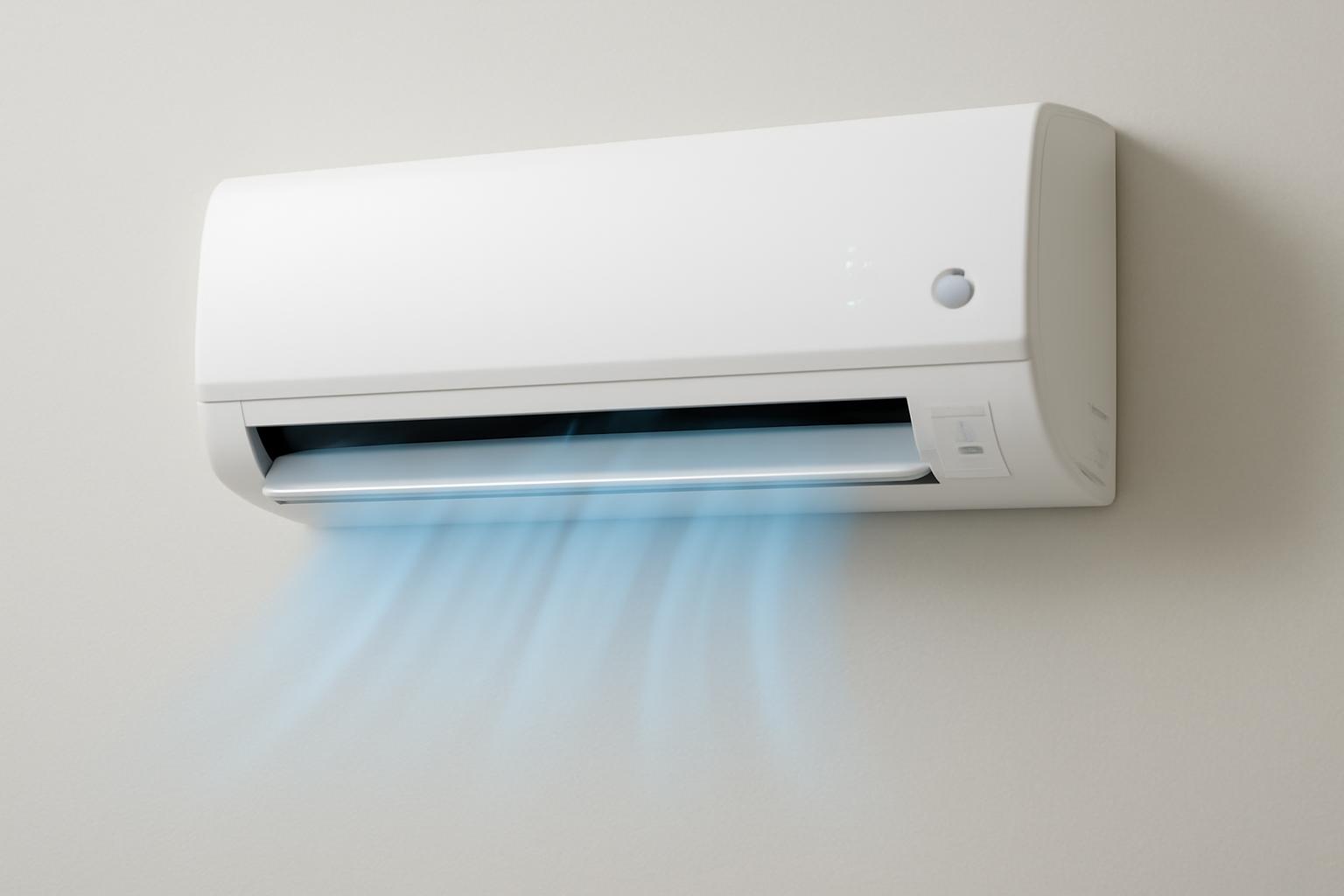
Air conditioner dry mode is designed to reduce indoor moisture while placing less emphasis on lowering the room temperature than cool mode. It can help when a room feels muggy even though it is not especially hot, but it is not a repair for persistent dampness or a complete replacement for a dehumidifier.
The central limitation is important: dry mode describes an operating goal, not one universal sequence of fan, compressor, temperature, and drainage controls. Behavior varies by brand, model, and equipment type. Confirm how the setting works on your unit, then evaluate comfort alongside room temperature and relative humidity rather than trusting the mode label alone.
This homeowner-focused approach reflects the broader purpose of HVAC Lens: helping readers understand system behavior before approving work or assuming a particular diagnosis.
The publication’s informational role is not to turn homeowners into technicians. External observations can clarify what is happening, but internal adjustments and repairs belong with qualified professionals.
What dry mode does—and what it does not do
Dry mode is an air-conditioning setting intended primarily to remove moisture from indoor air. It may appear as Dry, Dehumidify, or a water-droplet symbol. Not every air conditioner includes the feature, so check the remote, control panel, thermostat, app, and model manual rather than assuming it is hidden under another control. A commercial HVAC guide documents these common labels while also noting that availability is not universal (common dry-mode labels and availability).
Dry mode still uses the air conditioner’s cooling components. Humid room air passes over a cold indoor coil, water condenses on that coil, and the collected moisture follows the unit’s drainage path. Because the coil must be cold, the room may become somewhat cooler even though strong temperature reduction is not the setting’s primary purpose.
That gives dry mode a limited but useful role:
- It can help when humidity is the main comfort problem.
- It may provide incidental cooling.
- It is not a substitute for cool mode during severe heat.
- It does not provide fresh-air ventilation merely because air is moving.
- It is not heat-only circulation.
- It is not equivalent to a dedicated dehumidifier.
- It cannot correct a leak, wet building material, drainage defect, or continuing source of humid air.
The mode name also does not promise a particular operating sequence. Some documented systems use lower fan speed, intermittent compressor operation, or reduced compressor capacity. Other units may handle these functions differently.
Drainage and operating limits vary as well. Instead of applying general assumptions to a portable, window, through-wall, ductless, or central system, identify the equipment and use the instructions for its exact model.
The manual should answer questions such as:
- Does the unit actually support dry mode?
- How is the mode selected and canceled?
- Does the temperature setting remain adjustable?
- Is fan speed selectable or automatic?
- Does the mode stop automatically?
- What drainage preparation or inspection does the manufacturer require?
- Are there indoor- or outdoor-temperature limits?
- Is extended or overnight use permitted?
- What should appear on the display while the mode is active?
Treat those instructions as the operating authority. The presence of a Dry button does not prove that the system is draining properly, controlling a continuing moisture load, or operating as intended.
How an air conditioner removes moisture
An air conditioner can dry indoor air because cooling and condensation occur together at the evaporator coil.
The process follows a basic sequence:
- Humid room air enters the system. The indoor fan carries air toward the evaporator coil.
- The air reaches a cold surface. The coil is colder than the incoming air.
- Water vapor condenses. Under suitable coil conditions, some airborne moisture changes into liquid water.
- The water collects and drains. Condensate moves through the equipment’s designed drainage path.
- The treated air returns to the room. It is generally cooler and contains less moisture than it did before crossing the coil.
This process is not exclusive to dry mode. Ordinary cool mode also removes moisture whenever the coil is cold enough and the system runs long enough. Lennox describes the same cold-coil condensation process and explains why an air conditioner may sometimes lower temperature without removing enough moisture to eliminate a clammy feeling (how air conditioning removes moisture).
Dry mode is therefore a change in operating priority, not a second moisture-removal technology hidden inside the unit. Cool mode prioritizes reaching or maintaining a room temperature. Dry mode attempts to remove moisture while limiting unnecessary cooling.
How it achieves that balance is product-specific. For example, GREE describes its own mini-split dry mode as using lower fan speed and reduced compressor capacity while allowing the selected temperature to continue guiding operation. That is evidence for the documented GREE product family, not for every mini-split, portable unit, window unit, or central system (GREE’s mini-split dry-mode controls).
Lowering indoor moisture can improve perceived comfort even when the thermometer changes only slightly. Humid conditions slow sweat evaporation, which can make a room feel warmer or stickier than its measured temperature suggests. This comfort mechanism is also described in Lennox’s explanation of air conditioning and indoor humidity.
The amount of drying cannot be predicted from the setting alone. Results depend on:
- Starting room temperature and relative humidity
- Outdoor temperature and moisture conditions
- Air entering through openings or leaks
- Moisture generated by cooking, showering, laundry, plants, or wet materials
- Equipment capacity and condition
- Coil conditions and airflow
- Runtime and cycling
- Room size and connection to adjacent spaces
- Drainage performance
For those reasons, dry mode should not be expected to produce a specific humidity reduction, condensate volume, or temperature drop in every room. Relative humidity also changes as temperature changes, so the two readings need to be considered together.
Dry mode vs. cool mode vs. fan mode
Choose an air-conditioner setting by asking two separate questions:
- Is the room too hot?
- Is the room too humid?
If heat is the dominant problem, use cool mode. If the temperature is acceptable or only moderately warm but the room feels muggy, dry mode may be worth trying. If temperature and moisture are already comfortable and only air movement is wanted, fan mode may be sufficient.
| Mode | Primary goal | Suitable conditions | Expected temperature effect | Active moisture removal? | Key limitation |
|---|---|---|---|---|---|
| Dry | Reduce indoor moisture without emphasizing strong cooling | Mild, rainy, or moderately warm weather when the room feels muggy | May cool the room somewhat | Yes, while the coil is cold and condensation occurs | Controls and performance vary; it is not a complete humidity solution |
| Cool | Lower and maintain room temperature | Hot conditions, including hot and humid weather | Strongest intended cooling effect | Yes, during normal cooling operation | A system may still leave a room clammy if runtime, airflow, sizing, maintenance, or moisture load is unfavorable |
| Fan | Circulate existing room air | Comfortable temperature and humidity when air movement is desired | No active cooling when the compressor is off | No active dehumidification when the compressor is off | Circulation alone does not extract water or remove heat from the room |
Daikin Malaysia presents the same general decision: dry mode when temperature is acceptable but humidity is high, cool mode when temperature reduction is needed, and fan mode for circulation without active cooling or dehumidification. That manufacturer guidance is general and remains subject to the controls on the individual unit (comparison of cool, dry, and fan modes).
Consider three common situations.
A cool rainy day: The room is not hot, but fabrics feel damp and the air feels sticky. Dry mode is a reasonable trial if the unit supports it. Watch the temperature because the setting still depends on a cold coil and may cool the room.
A hot and humid afternoon: Use cool mode. Temperature reduction is the immediate need, and ordinary cooling will also remove some moisture. Dry mode is not a substitute for adequate cooling during serious heat.
A comfortable room that needs air movement: Use fan mode if the manual confirms that the compressor stays off in that setting. Moving air may improve perceived comfort, but it does not actively extract moisture.
Avoid the common claim that dry mode always removes more moisture than cool mode. The available evidence does not establish that universal comparison. Depending on system design, runtime, temperature load, and room conditions, ordinary cooling may remove a meaningful amount of water.
The practical question is not “Which mode is always drier?” It is “Which mode addresses the room’s current heat and moisture needs on this particular system?”
A cautious way to use dry mode
Treat the first use of dry mode as an observation period rather than choosing an arbitrary runtime and leaving the system unattended.
1. Identify the equipment
Determine whether the system is a ductless mini-split, window unit, portable air conditioner, through-wall unit, or central system.
Do not infer drainage or control behavior from the equipment category alone. Find the model number and use the corresponding manual to confirm how dry mode, fan control, temperature settings, and condensate handling work.
2. Read the model instructions
Find the operating-mode chart or dry-mode section. Confirm:
- That dry mode is supported
- How to select and exit it
- Whether the temperature can be changed
- Whether fan speed is automatic
- What drainage checks or preparation are required
- Whether the feature has operating-temperature limits
- Whether extended or overnight use is allowed
Instructions for another model—even one made by the same brand—may not describe your unit’s controls accurately.
3. Record the starting conditions
Use a basic digital hygrometer to record relative humidity. Note the room temperature at the same time.
Place the instrument away from direct supply air, sunlight, cooking steam, showers, and open windows. Use the same location for later readings so the comparison is more consistent.
A sticky feeling can alert you to a comfort problem, but it is not a measurement. Comfort also varies with air movement, activity, clothing, temperature, and individual sensitivity. A hygrometer helps you observe trends without treating perception as the only evidence.
Do not interpret relative humidity in isolation.
4. Check the documented drainage path
Follow only the external checks described in the manual. Look for water appearing where the manufacturer says it should not or for an obvious problem with an accessible hose or outlet specifically identified for homeowner inspection.
If water leaks into the room or drainage trouble continues, stop relying on the mode and arrange appropriate service. Drainage trouble is among the conditions that can interfere with moisture removal and justify professional evaluation.
5. Select dry mode and observe
Activate dry mode through the documented control. Observe whether:
- The fan sound or airflow changes
- The compressor appears to cycle
- The displayed temperature changes
- The set point remains adjustable
- The system stops automatically
- Water appears at the normal discharge point, if that point is visible
Do not force an unusually low set point merely to keep dry mode running. On some systems the selected temperature remains meaningful; on others, the mode may automate or restrict temperature control. Follow the model instructions rather than importing behavior from another product.
6. Reassess periodically
There is no evidence-supported runtime that applies to every unit and room. One commercial guide suggests beginning with a check after one to two hours, but presents that interval only as a starting point rather than a strict limit or guaranteed treatment period (suggested initial dry-mode observation interval).
At each check, record:
- Room temperature
- Relative humidity
- Total runtime
- Whether operation appeared continuous or cyclic
- Any visible condensate at the normal outlet
- Whether the room feels more comfortable
- How quickly muggy conditions return after shutdown
Stop dry mode or choose another setting if:
- The room becomes uncomfortably cold
- The room needs substantial cooling
- The drying need has passed
- Water appears where it should not
- The manufacturer specifies another operating method
The resulting log is not a validated capacity test and cannot diagnose a fault. It can, however, show operating and comfort trends. For example, it may indicate that the room gradually feels better, becomes too cold, changes very little, or becomes muggy again soon after the unit stops.
The amount of water produced varies with room conditions, equipment behavior, runtime, and drainage design.
7. Be cautious about overnight use
Overnight operation may be reasonable only when the manufacturer permits extended use and earlier observations show that the room remains comfortable and the system handles condensate normally.
For an initial trial, collect daytime observations before leaving dry mode active while sleeping. If the temperature falls too far, readings behave unpredictably, water appears where it should not, or the instructions are unclear, do not use overnight operation as a substitute for understanding the system.
If the room is hot enough to require steady temperature reduction, use cool mode instead.
Does dry mode save electricity?
It might, but selecting dry mode does not guarantee lower total electricity use.
Some manufacturers and HVAC businesses describe dry mode as using lower fan speed, reduced compressor capacity, intermittent operation, or lower electrical demand than standard cooling. ActronAir, for example, describes lower-speed fan and compressor operation but provides no model-specific comparative measurements (manufacturer description of dry-mode demand).
The key distinction is between power and energy:
- Power is the rate at which the air conditioner uses electricity at a given moment.
- Energy is the total electricity consumed over the complete operating period.
It can also be a poor choice when the room needs meaningful cooling.
Total electricity use depends on:
- Equipment design and control logic
- Compressor type and capacity modulation
- Fan operation
- Starting temperature and relative humidity
- Outdoor conditions
- Solar gain and other heat loads
- Air and moisture entering the home
- The selected temperature, where applicable
- System capacity and condition
- Cycle length and frequency
- The total comparison period
These variables make broad percentage-savings claims unreliable. A manufacturer may accurately describe reduced demand for a particular product, but that does not establish lower total consumption in every room or climate.
For a model-specific answer, consult the manual and published product data.
Do not sacrifice necessary cooling merely to select a mode marketed as economical. When the room is hot, cool mode is generally the appropriate setting. When it is only muggy, dry mode may avoid unnecessary cooling, but actual energy savings require comparable measurements rather than assumptions.
When a dehumidifier is the better tool
Dry mode is best suited to temporary or moderate muggy conditions. A dedicated dehumidifier is generally the better tool when moisture control is a continuing need rather than a secondary function of air conditioning.
Signs that dry mode may be insufficient include:
- Recurring window condensation
- Damp surfaces or fabrics
- Persistent musty odors
- Humidity that returns quickly after the AC stops
- A need for moisture removal when cooling is undesirable
- Continuing dampness in a basement, storage room, laundry area, or another space with weak AC coverage
- Moisture concerns that persist across seasons or weather conditions
LG’s manufacturer guidance similarly distinguishes short-term dry-mode use from prolonged dehumidification and identifies recurring condensation, damp surfaces, odors, and rapidly returning humidity as reasons to look beyond the air-conditioner setting (when a dehumidifier may be preferable).
A dedicated dehumidifier is designed for prolonged moisture removal and generally provides more direct control over a selected humidity setting. Unlike an air conditioner, it does not intentionally cool the room.
| Factor | Air conditioner dry mode | Dedicated dehumidifier |
|---|---|---|
| Primary purpose | Improve comfort by removing some moisture with limited emphasis on cooling | Sustained moisture removal |
| Temperature effect | May cool the room | Does not intentionally cool the room |
| Control precision | Varies widely; operation may be automated | Generally provides selectable humidity control |
| Likely use | Temporary or moderate conditions | Repeated or prolonged moisture control |
| Problem duration | Weather-driven or short-term muggy periods | Recurring or chronic dampness |
| Coverage | Limited by the conditioned area and system airflow | Can target a local room or, with suitable equipment, a larger zone |
| Main limitation | May overcool or provide insufficient moisture control | Requires suitable capacity, placement, drainage, and maintenance |
Localized dehumidification may make sense in a laundry room, storage area, basement, or other moisture-prone space with limited conditioned airflow.
Plumbing leaks, roof or foundation entry, wet building materials, uncontrolled humid-air leakage, and HVAC defects require investigation.
Why the room may stay clammy
Begin by distinguishing a temporary weather-driven moisture load from a persistent equipment or building problem.
A room that stays damp, cools without feeling less clammy, or quickly returns to its previous condition may have continuing moisture entry or an equipment problem.
Work through these homeowner-safe checks.
Confirm the selected mode
Make sure the system is actually in dry mode rather than fan, automatic, sleep, or economy mode. Control icons can be easy to misread. Compare the display with the model manual rather than relying on memory.
Also confirm whether the unit uses a separate dehumidification control or whether dry mode changes other settings automatically.
Check the filter
Inspect the filter and clean or replace it according to manufacturer instructions. A dirty filter can restrict airflow and contribute to poor performance.
Do not install an unusually restrictive filter or modify the filter rack in an attempt to change dehumidification. If a replacement filter causes a noticeable airflow problem, verify that it meets the equipment requirements.
Look for an obvious drainage problem
Inspect only the external, homeowner-accessible components identified in the manual. Look for indoor dripping, water backing up, or an obvious problem at an accessible drainage point.
Little or no visible water does not prove a malfunction. Condensate production varies with indoor conditions, runtime, coil temperature, and equipment design.
If water is leaking indoors or drainage trouble persists, arrange service rather than assuming that longer dry-mode operation will solve it.
Observe cycling
Note how long the compressor appears to operate before stopping and how quickly it restarts. Repeated short cycles may limit the time available for moisture to condense and drain.
An oversized air conditioner is one possible explanation because it may satisfy the temperature setting quickly and stop before achieving adequate moisture removal. It is not the only possibility and cannot be diagnosed from clamminess alone.
Other possible contributors include:
- Dirty coils
- A clogged filter or restricted airflow
- Blocked drainage
- Duct leakage
- Refrigerant problems
- Equipment age or condition
- Undersizing or oversizing
- Inappropriate control settings
- Continuing moisture entry
These are possible causes for evaluation, not conclusions that can be drawn from a humidity reading or cycle observation.
Review the thermostat fan setting
For applicable central systems, a thermostat fan set continuously to On may keep moving air across a wet coil after the compressor stops and return some residual moisture to the room. Auto is often preferable when moisture removal is the goal, subject to the equipment manual.
Do not assume that a mini-split, portable unit, or window air conditioner follows the same fan sequence. Use the documented control behavior for that model.
Watch for humidity rebound
If temperature and humidity readings improve during operation but muggy conditions return quickly afterward, moisture may still be entering or being generated.
Possible contributors include:
- Open windows or doors
- Outdoor-air leakage
- Cooking or showering
- Indoor clothes drying
- Wet carpet, drywall, or other materials
- Plumbing or building-envelope leaks
- Moisture moving from a basement or crawlspace
- Duct leakage
- A room isolated from the system’s airflow
Keep technical work outside the DIY scope
Coil condition, airflow setup, refrigerant charge, duct leakage, equipment sizing, and internal drainage can all affect moisture removal. PV Heating, Cooling & Plumbing discusses these factors while identifying coil cleaning and technical adjustments as work that may require professional assessment (factors that can limit AC dehumidification).
Do not respond to clamminess by altering blower settings, accessing sealed components, cleaning inaccessible coils, changing refrigerant controls, adding refrigerant, or attempting internal duct repairs. Record the symptoms and let a qualified professional determine whether an adjustment or repair is appropriate.
When to call an HVAC professional
Arrange professional evaluation when appropriate settings and basic maintenance do not resolve the problem, especially if the air conditioner repeatedly short-cycles or the room becomes cool without becoming less clammy.
Escalation clues include:
- Recurring condensation on windows or surfaces
- Damp materials
- Persistent musty odors
- Unusual equipment noises
- Water leaking indoors or continuing drainage trouble
- Repeatedly short operating cycles
- An unexplained rise in electricity use
- Humidity that returns soon after operation
- Rooms that remain noticeably different from the rest of the home
- Apparently normal cooling with poor moisture control
None of these symptoms proves that the unit is oversized, undersized, low on refrigerant, or suffering from a failed component. Several equipment and building conditions can produce similar symptoms. A useful service call begins with observations rather than a remote diagnosis.
Prepare the following information for the contractor:
- Equipment type, brand, and model number
- Selected operating mode
- Temperature setting, if active
- Thermostat fan setting
- Filter type and condition
- Approximate cycle duration
- Room temperature before and after operation
- Relative humidity before and after operation
- Total observation period
- Affected rooms
- Whether condensate was visible at the normal outlet
- Whether water appeared where it should not
- How quickly muggy conditions returned
- Relevant weather or indoor moisture-producing activities
Then ask focused questions:
- Is the runtime appropriate for the current load?
- Is airflow within the manufacturer’s specification?
- Is condensate draining correctly?
- Is the equipment capacity appropriate for the home?
- Are ducts leaking or drawing in humid air?
- Are filter, coil, or other maintenance conditions affecting moisture removal?
- Is the thermostat or control sequence contributing to the problem?
- Would localized or whole-home dehumidification be appropriate?
- Is the moisture more likely to be entering through the building than coming from an HVAC fault?
HVAC Lens provides general homeowner information, not contracting, installation, repair, or personalized diagnosis. Because equipment varies by home, climate, and installation, its terms advise confirming major HVAC changes with a licensed professional.
Frequently asked questions
What symbol means dry mode on an air conditioner?
Dry mode is commonly represented by a water-droplet icon. It may instead be labeled Dry or Dehumidify on the remote, control panel, thermostat, or app.
Icons are not completely standardized. Confirm the symbol in the manual for your model rather than confusing it with the snowflake commonly used for cooling or the fan-blade symbol generally used for fan operation.
How long should I run air conditioner dry mode?
There is no universal runtime. Appropriate operation depends on the model, room temperature, moisture load, drainage, outdoor conditions, and whether the room becomes too cold.
For an initial trial, record temperature and relative humidity before starting. A commercial HVAC guide suggests reassessing after one to two hours, but that is only a suggested observation interval—not a required limit or a promise that useful drying will occur within that period.
Continue, stop, or change modes according to the readings, comfort, and model instructions. Interpret temperature and relative humidity together rather than treating either reading as proof of moisture-removal capacity.
Can I use dry mode overnight?
Possibly, but only if the manual permits extended operation and an earlier daytime trial shows that the system handles condensate normally and does not make the room uncomfortably cold.
Overnight suitability varies by model and room conditions. If substantial cooling is needed, use cool mode rather than expecting dry mode to manage the heat.
Why does the room become humid again after dry mode stops?
Moisture may still be entering or being generated. Possible contributors include outdoor-air leakage, open doors, cooking, showers, laundry, damp materials, basements, crawlspaces, plumbing problems, and duct leakage.
The system may also have treated only the air within its immediate reach while adjacent rooms or materials remained damp. If muggy conditions return quickly and repeatedly, document the timing and investigate the moisture source rather than simply extending dry-mode runtime.
Does dry mode use less electricity than cool mode?
It may draw less power while operating on some air conditioners, but lower total energy use is not guaranteed. Fan speed, compressor behavior, capacity, and runtime vary by model.
A lower-power setting can still use substantial energy if it runs longer. It may also be the wrong choice when the room requires significant cooling. Consult model-specific product data or compare total electricity use under similar temperature, humidity, weather, and runtime conditions.
Choose the mode by reading both sides of the comfort problem: use cool mode when the room is too hot, consider dry mode when temporary humidity is the main complaint, and look beyond the mode button when dampness keeps returning. Temperature, relative humidity, cycling, drainage, and room-by-room observations are more useful to a qualified professional than running dry mode indefinitely.