
How to Identify a White-Rodgers Intelli-Vent Water Heater Control
To identify a White-Rodgers Intelli-Vent, confirm the device is the integrated gas-valve-and-thermostat control mounted on a power-vented gas water heater,…
By Mara Keene · · 13 min read
Overview
To identify a White-Rodgers Intelli-Vent, confirm the device is the integrated gas-valve-and-thermostat control mounted on a power-vented gas water heater, then transcribe the complete model number and suffix from its label, verify the heater’s fuel type on the rating plate, and check the exact model against a manufacturer cross-reference before treating any replacement as compatible.
The Intelli-Vent is not a wall thermostat. According to the White-Rodgers installation sheet distributed by Rogers Supply, the 37E73A-series Intelli-Vent control is a combination gas valve, ignition control, and thermostat built for power-vented water heaters. That means you identify it on the water heater itself, at the gas control near the bottom of the tank, not on a wall.
Success in this task is a written record, not a visual guess. A complete record includes every character of the control identifier (including the suffix after the hyphen), the water heater’s make, model, and serial number, the fuel type printed on the rating plate, and photos of the visible wiring connections. With that record, you or a technician can look up documentation or verify a replacement. Without it, a shared family name like “37E73A” tells you far less than it appears to.
Before You Start: Create a Non-Invasive Identification Record
Before you touch anything, decide what this procedure is and is not. It is a look-and-write-down inspection you can do with the control fully installed. It is not a removal or repair job. The 37E73A-903/906 installation sheet states plainly that the control must be installed or serviced only by a professional and that there are no user-serviceable parts inside it. Everything below can be done without disconnecting a wire or turning a fitting.
Start a simple record, on paper or in your phone, with a slot for each of the following items:
- Water heater make, model, and serial number, copied from the heater’s rating plate, since manufacturer cross-references map OEM numbers to replacement controls.
- Fuel type as printed on the rating plate (natural gas or LP), because the installation sheet warns against using a natural gas control on an LP water heater.
- Every visible identifier on the control itself, transcribed character for character, including hyphens and everything after them.
- Photos of the control face and the visible wire connectors, taken from a few angles without unplugging anything.
- Any documented fit dimensions you can find on a label or in a product listing, such as the shank length that retailers publish for some models.
Keep one boundary firm throughout: if reading an identifier would require unplugging connectors, loosening the control, or removing a cover that is not meant to come off by hand, stop and note that in your record instead. A technician can capture that detail during a service visit. Your job here is to gather everything that is visible, which in most cases is enough to start a documentation lookup or a parts conversation.
How to Identify the Intelli-Vent Control
Identifying an Intelli-Vent is a four-part task, and each part feeds the next. First you confirm the device type, so you know you are looking at the right kind of control. Then you transcribe the full model number and suffix, because the suffix carries the information that distinguishes one variant from another. Third, you verify the water-heater application and fuel type from the rating plate, since the same control family covers different fuels and OEM applications. Finally, you photograph the connections and record any documented fit details, because two controls with the same family name can still differ physically. Each step below names its input, the action to take, and the observable result that tells you the step is done.
Step 1: Confirm the Device Type
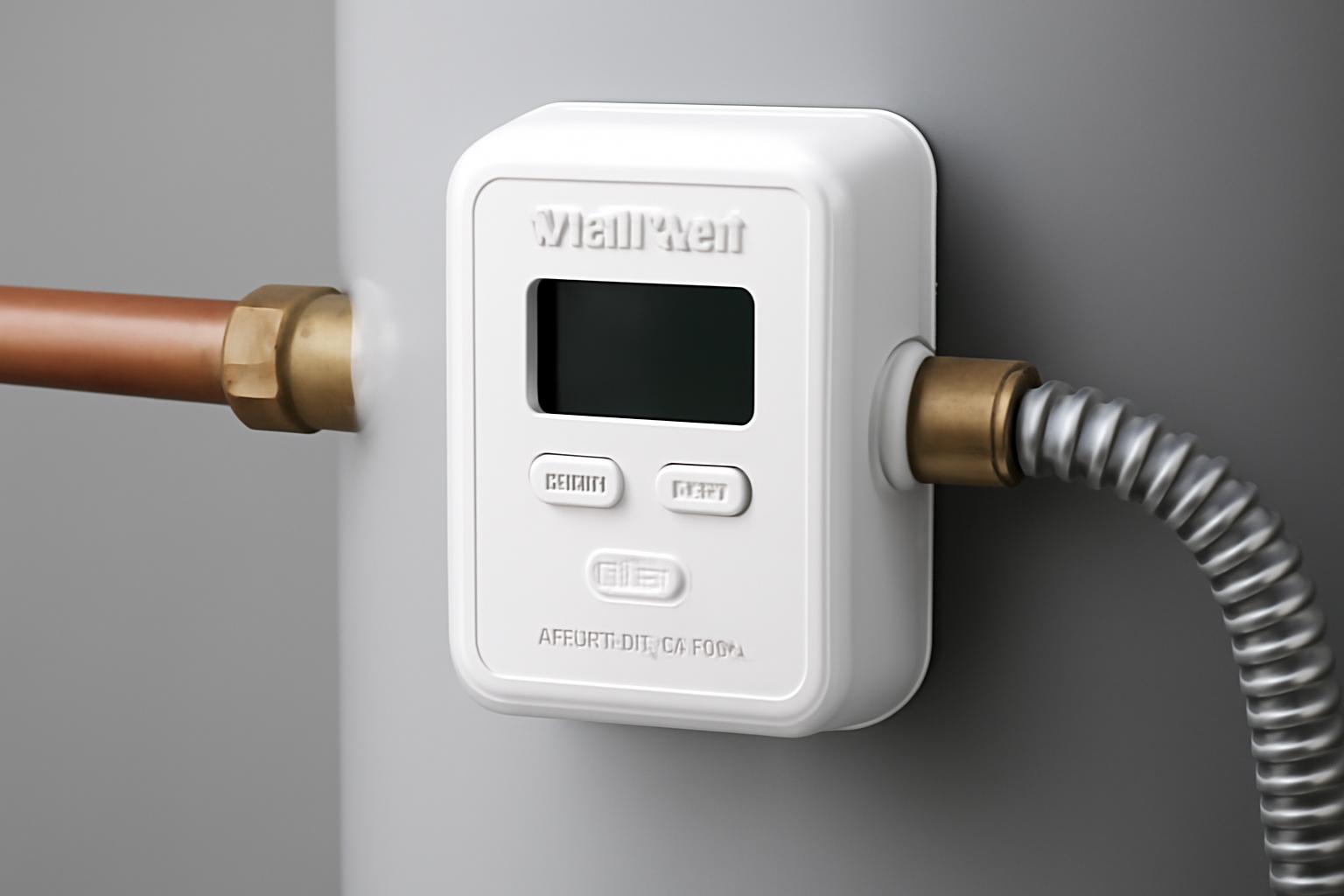
Your input for this step is the installed control itself and the type of water heater it sits on. Look at the boxy control mounted on the front of the gas water heater, where the gas line enters. According to both the Rogers Supply installation sheet and the RS Components product listing for the 37E73A-903, the Intelli-Vent is a combination gas valve, ignition control, and thermostat designed for power-vented water heaters. A power-vented heater uses a blower to push exhaust out through a vent pipe, often plastic, rather than relying on a plain vertical metal flue.
Look for two functional clues on the control face. The installation sheet describes COOLER and HOTTER temperature adjustment buttons and a row of temperature indicator lights. A control with those buttons, mounted directly on a power-vented gas water heater, matches the documented Intelli-Vent design.
The observable result of this step is a supported type identification: you can write “integrated water-heater control with COOLER/HOTTER buttons on a power-vented gas heater” in your record, rather than guessing from shape or color alone. If the heater is not power vented or the control lacks those features, note that too, because it changes which documentation applies.
Step 2: Record the Complete Model and Suffix
The input for this step is any label you can see on the installed control without removing it. Inspect the control face, sides, and any visible tag, and transcribe every character exactly as printed. The suffix after the hyphen is not decoration. The Copeland 37E Series cross-reference document lists 37E73A-903, 37E73A-906, 37E73A-918, 37E73A-921, 37E73A-922, and 37E73A-927 as distinct model numbers, each mapped to different OEM equipment, so dropping or misreading the last three digits can point you at the wrong part entirely.
Be aware that you may encounter several kinds of numbers, and they are not interchangeable labels for the same thing:
- A White-Rodgers replacement model number, such as 37E73A-903 (listed as the MFR part number by RS Components).
- An item number, such as 37E73A-903B1, which the Copeland cross-reference lists alongside the model number.
- An OEM number printed by the water-heater brand, such as 184960 or 9003691005, which the Copeland document maps to 37E73A-903.
- A reported field identifier, such as the “White Rodgers 64044, 37E73A326P1” string described in a JustAnswer troubleshooting thread, which does not appear in the manufacturer cross-reference and would need OEM confirmation.
One honest limit: the evidence available for this guide confirms what these identifiers look like, but it does not establish one universal physical location where the model and suffix are printed on every installed control. If you cannot find a complete identifier string on any accessible surface, do not pry or unplug anything to hunt for it. Record what you can see, note that the full string was not visible, and plan to have a professional or the water-heater OEM confirm the exact model. Success for this step is either a complete transcribed string or a clear note that outside help is needed to get one.
Step 3: Verify the Water-Heater Application and Fuel Type
The required input for this step is the rating plate affixed to the water heater, not the control. Find it on the tank body and record the heater’s make, model, serial number, and listed gas type. The White-Rodgers installation sheet is explicit about why this matters: it warns not to use a natural gas control on an LP gas water heater, because improper operation could result in personal injury or death from carbon monoxide poisoning, fire, or explosion, and it directs you to check the gas type on the rating plate.
Do not infer fuel from appearance, from the control’s color, or from what a previous owner said. Retail listings reinforce how fuel-specific these controls are: both the RS Components listing for the 37E73A-903 and the SupplyHouse listing for the 37E73A-918 describe those models as natural gas only.
Also confirm the application. The installation sheet describes the 37E73A-903/906 as a control for power-vented water heaters, so note whether your heater has the blower and vent arrangement of a power-vented unit. The observable result of this step is an application-and-fuel entry in your record, taken directly from the rating plate, that anyone can compare against control documentation later.
Step 4: Photograph Connectors and Record Relevant Fit Details
The input for this step is what you can see and photograph with the control fully connected. Take clear photos of the wiring connectors where they enter the control, the control face, and the way the control meets the tank. Do not unplug or unthread anything. Your goal is a visual record a supplier or technician can compare against a candidate replacement.
Two documented failure modes explain why this evidence matters. First, physical reach: a reviewer on the Amazon listing for the 37E73A-903 reported that it is not a direct replacement for the 37E73A-306 because the shank was too short for the threads to reach on their State water heater. Second, missing specifications: the same listing’s discussion notes that product pictures alone were not enough to determine fit and that the last three digits of the model are critical. Both are marketplace reports rather than manufacturer statements, so treat them as reasons to check, not as rules, but they show exactly how a family-name match can still fail physically.
Where a reliable label or product document publishes a fit dimension, record it. For example, SupplyHouse lists a 2.38-inch shank length for the 37E73A-918. Do not measure the installed control yourself if doing so means loosening it, and do not estimate dimensions from photos.
Success for this step is a photo-and-spec record you can hand to an OEM, supplier, or technician. The fit decision itself belongs to whoever verifies the replacement, not to your camera roll.
Verify the Exact Model With an Identifier and Compatibility Decision Matrix
You now have a recorded identifier, a fuel type, and fit evidence. The remaining decision is what that identifier actually establishes, and what still needs verification before anyone orders a part. The core principle, stated in the White-Rodgers installation sheet, is to replace the existing control with the recommended model. A shared family name is not a recommendation. Neither is a matching temperature range: retail and catalog listings do not publish specifications consistently across variants (the Copeland cross-reference, for instance, lists a 120 to 180°F range only for the separate 11E79 integrated control, not the 37E73A series), so a range printed on a product page cannot stand in for an exact model match.
The matrix below separates what the evidence supports for common identifiers from what each match still leaves open. It is a lookup aid, not an interchangeability chart. The available evidence does not include a complete suffix decoder for the 37E73A family, so treat every suffix as meaningful until an authoritative source says otherwise.
| Observed identifier | What the evidence shows | What the match does not establish | Next verification step |
|---|---|---|---|
| 37E73A-903 | Copeland’s 37E Series cross-reference maps OEM numbers 184960, 9003691005, and 37E73A-303 (A.O. Smith, State Industries) to model 37E73A-903, item 37E73A-903B1; RS Components lists it as natural gas only | Fit on any specific tank; an Amazon reviewer reported its shank was too short to replace a 37E73A-306 on a State heater | Confirm your heater’s OEM number appears in the cross-reference and have the supplier or OEM confirm physical fit |
| 37E73A-906 | Copeland maps OEM numbers 9005964005 and 37E73A-306 (State Industries) to model 37E73A-906, item 37E73A-906B1 | Interchangeability with 37E73A-903 or any other suffix | Match your heater’s OEM number to this row before ordering; confirm fuel on the rating plate |
| 37E73A-918 | Copeland maps OEM number 56000152A (Giant) to model 37E73A-918, item 37E73A-918B1; SupplyHouse lists it as natural gas only with a 2.38 in. shank | Fit on non-Giant equipment or LP applications | Verify the OEM mapping against your heater’s numbers and compare the documented shank length with your application |
| 37E73A326P1 (with 64044) | Reported in a JustAnswer troubleshooting thread as an installed IntelliVent identifier; it does not appear in the Copeland cross-reference | Any manufacturer-backed replacement mapping | Contact the water-heater OEM with the heater’s model and serial number to identify the correct current replacement |
Read every row the same way: a cross-reference match tells you which replacement model the manufacturer names for a given OEM number. It does not confirm your heater’s fuel, and it does not physically guarantee fit on your specific tank. Those checks come from the rating plate and from the OEM or supplier, using the record you built in Steps 1 through 4.
Worked Example: From OEM Identifier to Replacement Model
Here is what a correctly interpreted cross-reference looks like in practice. Suppose the only identifier you can read on the installed control is 37E73A-303, or the heater’s paperwork shows OEM number 184960. In the Copeland 37E Series Intelli-Vent cross-reference, both of those identifiers, along with 9003691005, map to A.O. Smith and State Industries equipment, and the named replacement is model 37E73A-903 with item number 37E73A-903B1.
That trace gives you three linked facts to write down: the OEM number you observed, the replacement model the manufacturer names for it, and the item number a distributor may use to stock it. What it does not give you is permission to skip the remaining checks. You still confirm the fuel type on the heater’s rating plate, since RS Components lists the 37E73A-903 as natural gas only, and you still ask the supplier or OEM to confirm physical fit, because the Amazon reports show that reach and threading can differ even within the family. The cross-reference narrows the answer; the rating plate and the OEM close it.
Success Check: Confirm Your Identification Record Is Complete
Before you contact a supplier, technician, or OEM, run your record through a final check. A complete record means the conversation starts with facts instead of guesses.
- The full control identifier is transcribed exactly, including the suffix, or your record clearly states the label was not accessible.
- The water heater’s make, model, and serial number are copied from the rating plate.
- The fuel type is recorded from the rating plate, not assumed.
- The visible wire connectors and control face are photographed from multiple angles, with nothing disconnected.
- Any documented fit dimension, such as a published shank length, is noted with its source.
- The exact replacement model has been verified against an authoritative cross-reference or is flagged for OEM confirmation.
If every item is checked, your identification is done and defensible. If any item is open, that gap is the next question to hand to a professional, not a blank to fill by inference. A record that says “suffix unreadable, needs OEM lookup” is more useful than a confident wrong number.
Troubleshoot a Dark Indicator Panel
A completely dark Intelli-Vent panel looks like a dead control, but by itself it proves nothing. The White-Rodgers installation sheet for the 37E73A-903/906 states that all of the temperature indicators will be off during normal operation, because the control enters a sleep mode about 30 seconds after you finish setting it. If you walked up to the heater and saw no lights, you may simply be looking at a control doing exactly what its documentation describes.
The documented way to tell the difference is the wake-up test. Per the installation sheet, press the COOLER and HOTTER temperature adjustment buttons at the same time and release after one second. A functioning control wakes its temperature indicators in response. There is also a documented power-on behavior worth knowing: when power is applied, all of the indicators on the front of the control come on briefly, for one to five seconds, then turn off, which the sheet describes as completion of the control’s self-diagnostic test.
Interpret what you observe in three tiers:
- Indicators light after the one-second wake-up press: the display is behaving normally, and darkness was sleep mode.
- Indicators show the brief all-on pattern at power-up, then go dark: the control passed its documented self-test and entered normal operation.
- No response to the wake-up press and no power-on indication: this is now a service question, not an identity clue.
If you land in that third tier, resist the urge to diagnose further. The installation sheet states the control has no user-serviceable parts and must be serviced only by a professional. A dark, unresponsive panel does not tell you which model you have or why it failed; it tells you that your identification record, with its transcribed identifiers, rating-plate details, and photos, is about to be very useful to the technician you call. That is the point of the whole procedure: whether the panel is asleep or genuinely dark, you finish with a record strong enough to support the next decision.